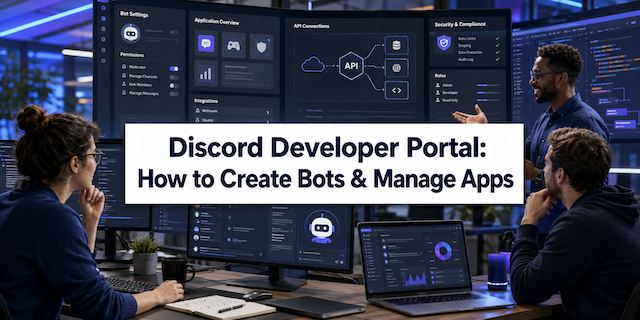
The Discord Developer Portal is the main place where you build and manage Discord apps and bots.
If you are a developer, startup founder, or business owner, this portal gives you the tools you need. You can build bots, connect apps, set up secure logins, and automate tasks.
Discord is no longer just for gamers. It is now a strong platform for business automation, SaaS tools, paid communities, and API growth.
If you learn how to use the portal well, you can grow your product and even make steady income from it.
What Is the Discord Developer Portal?
The Discord Developer Portal is the official website where developers create and control Discord apps.
Inside the portal, you can:
- Create Discord applications
- Build and manage bots
- Generate API keys and bot tokens
- Set up OAuth2 login
- Manage webhooks
- Create slash commands
- Read developer guides and tools
Think of it as the control room for anything that connects to Discord.
Businesses use it to build:
- Secure login systems
- Customer support bots
- AI chat tools
- CRM links
- Paid membership systems
If you’ve ever used platforms like the South University Student Portal login guide, the idea is similar. There is a backend system where everything is managed.
Key Features of the Discord Developer Portal
1. Application Management Dashboard
The dashboard is your main control panel.
After you create an app, you can:
- Add a name and icon
- Write a description
- Add support links
- Add a privacy policy
- Manage team access
This makes it useful for both small startups and large companies.
If you’ve seen dashboards like the Aeries Student Portal login guide, you know how helpful a clear control panel can be.
2. Bot Creation and Configuration
Bots are one of the best tools on Discord.
They can welcome users, answer questions, manage roles, and send alerts.
How to Create a Bot
- Log in to the Discord Developer Portal
- Click New Application
- Open the Bot section
- Click Add Bot
- Copy your bot token
Your bot token is like a secret password. Keep it safe.
You can host your bot on:
- AWS
- Google Cloud
- Microsoft Azure
- VPS servers
- Dedicated servers
If your bot serves many people, use cloud hosting so it can grow with your users.
This setup process is easier than configuring advanced systems like the Cron Job explained simple guide, but both help automate tasks.
3. OAuth2 Integration for Secure Login
OAuth2 lets users log into your website using their Discord account.
This is great for:
- Paid communities
- SaaS platforms
- Private servers
- Member-only tools
Common OAuth2 permission types include:
identifyemailguildsbotapplications.commands
When you combine OAuth2 with paid roles, you can create strong subscription systems.
Slash Commands & Interaction API
Slash commands start with a “/” inside Discord.
Example: /help
Why Slash Commands Are Important
- They work fast
- They look clean
- They are safer
- They are built into Discord
You can add commands for one server or all servers.
If your business offers automation tools, slash commands make your bot easier to use.
Webhooks and API Integrations
Webhooks send messages into Discord automatically.
They update channels in real time.
Popular Uses
- Crypto alerts
- Stock updates
- Online store orders
- SaaS updates
- System alerts
You can connect tools like:
- Stripe
- Shopify
- CRM systems
- Marketing tools
This turns Discord into a live business dashboard.
Monetization Opportunities Using the Discord Developer Portal
The portal is not only for coding. It can help you make money.
1. Subscription-Based Bots
You can build paid bots that offer:
- Smart moderation
- AI responses
- Trading alerts
- Private content
- NFT checks
Connect payment systems like Stripe to create monthly subscriptions.
2. SaaS Product Extensions
Many SaaS companies add Discord features to keep users engaged.
Examples:
- Project updates
- New lead alerts
- Customer support replies
- AI chat helpers
It’s similar to how companies share student news using portals like the Carleton Central login guide, but here it works inside communities.
3. API-Driven Growth
You can build systems that:
- Sync data between apps
- Auto-assign roles
- Welcome new members
- Trigger marketing messages
These tools help businesses grow faster.
Discord Developer Portal Security Best Practices
Security is very important.
Protect Your Bot Token
Never share your token.
If someone steals it:
- Reset it right away
- Check bot permissions
- Review activity logs
Use Limited Permissions
Only give your bot what it truly needs.
Too many permissions can cause risks.
Enable Two-Factor Authentication
For large servers, require 2FA for admin actions.
Scaling Discord Applications for Enterprise Use
When your community grows, your system must stay fast.
Hosting Tips
- Use cloud hosting
- Watch API rate limits
- Cache repeated data
- Monitor performance
Some teams use Docker and Kubernetes for better uptime and stability.
Common Developer Mistakes to Avoid
Giving Too Many Permissions
This increases security risk.
Ignoring API Limits
Discord limits how many requests you can send.
No Error Logs
Always track problems so you can fix them fast.
Ignoring Privacy Rules
Follow laws like GDPR if you collect user data.
Why Businesses Are Investing in Discord Apps
Discord is now used by:
- Crypto startups
- SaaS brands
- Online schools
- E-commerce companies
- Web3 teams
- Large software firms
Building apps through the portal gives you:
- Direct customer contact
- Live communication
- Lower support costs
- Better retention
- Stronger communities
For companies focused on automation and steady monthly income, Discord is a smart move.
Getting Started Today
Follow these simple steps:
- Visit the Discord Developer Portal
- Create a new app
- Add a bot
- Copy your token
- Set OAuth2 permissions
- Deploy your bot
- Test it in a private server
Start small. Improve as you grow.
Final Thoughts
The Discord Developer Portal is a strong and flexible platform.
You can build bots.
You can create secure login systems.
You can automate business tasks.
You can even build subscription income streams.
With smart setup, secure hosting, and clear commands, you can turn a simple Discord server into a powerful digital system.
If you want better customer engagement, automation, and long-term online growth, learning the Discord Developer Portal is a smart investment.